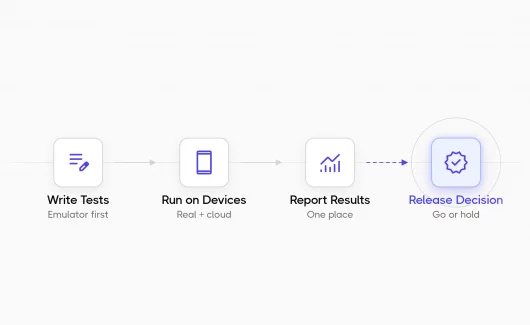
A developer fixes a bug and moves the ticket to Ready for QA. The tester needs to confirm that the bug fix works and that the existing features of the software application work as before. These checks are separate testing activities: retesting and regression testing. The CISQ report estimated the cost of poor software quality in the US at $2.41 trillion for 2022, and defects that reach production are a large part of it. Each check reduces that risk. This guide explains regression testing vs retesting with a worked example.
What Is The Difference Between Retesting And Regression Testing?
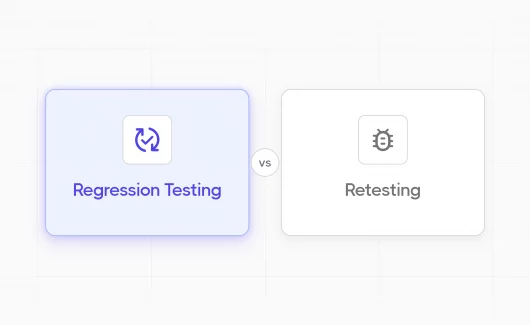
Retesting checks that a fixed defect works now. Regression testing checks that recent code changes left existing functionalities intact. Retesting targets a known bug, and regression testing finds new bugs. This is the key difference between retesting and regression testing, and each is a separate type of testing in software testing. The table below shows the difference between regression testing and retesting in detail.
| Aspect | Retesting | Regression Testing |
|---|---|---|
| Purpose | Confirms that a specific defect is fixed | Confirms that a change left existing features intact |
| Trigger | A developer delivers a bug fix | A code change or a release candidate |
| Test cases used | The failed test cases from the previous run | The regression test cases that passed before the change |
| Scope | One defect and its test case | A set of tests across existing features |
| Known or unknown defects | Known defect | Unknown defects |
| Check type | Functional testing of the fixed behavior | Functional and non-functional checks |
| Can you automate it? | Partly, as a re-run of a failed automated test | Yes, it is the main candidate for test automation |
| Order in the cycle | First, right after the fix | Second, after the retest succeeds |
| Priority | High, because a failed retest blocks the ticket | Depends on risk and release timing |
Teams often mix the terms because each activity repeats tests that exist already. The difference between regression testing and retesting is the goal. A retest answers whether this bug is fixed. A regression run answers whether the change broke something else.
What Is Retesting In Software Testing?
Retesting, also called confirmation testing, is a repeat run of failed test cases after the developer fixes the defect. It uses the same steps and the same input data. Teams also write the term as re-test. The ISTQB glossary gives the formal retesting definition: testing performed on a fixed defect to confirm that the failure caused by that defect is gone. The glossary spells the term re-testing and lists confirmation testing as its synonym. The term retesting is the common name in daily work, and the term confirmation testing is the name you meet in the ISTQB Foundation Level syllabus. You can read more in our guide on how to prepare for ISTQB Foundation Level.
Retesting is done at a fixed point in the bug life cycle. The tester reports a defect, and the development team fixes it. The ticket returns to QA with a new build. The tester repeats the failed test case and sets the result. The ticket closes when the retest succeeds, and the ticket reopens when the retest fails. The test cases for retesting come from the defect reports, because each report links to the test case that failed. The steps and the data stay the same for a reason. Verification of a fix needs the exact conditions that caused the failure, because a different data set can hide the defect. A tester who changes the input during a retest checks a different scenario and learns little about the original fix. Retesting is usually manual testing, because the tester needs to see the fixed behavior in the UI. A failed automated test can be retested too. You re-run the failed test after the fix, and the result confirms or rejects the fix.
What Is Regression Testing?
Regression testing is a type of software testing that repeats existing tests after a code change. It finds new defects in functionality that worked before the change.
The purpose of regression testing is to protect existing features from side effects of new code. Understanding regression testing starts with a simple point: a code change touches more than the lines in the pull request. A new feature or a bug fix can change a shared module or a common component, and this module can carry the change to other features. Regression testing covers these features, and the team learns before release which parts of the product changed behavior. Our guide on regression testing key points explains the basics in detail.
Regression test cases usually come from the functional specification and from past defects. Each case describes the expected behavior of a feature, so the specification stays the reference for the result. A regression suite can contain functional and non-functional tests, for example a checkout flow test and a page load test.
The scope of a regression run depends on risk and the availability of resources. You can choose from these options:
- Full regression: the team runs the complete suite. This option fits a release candidate.
- Risk-based selection: the team runs the tests for high-risk and high-traffic features. This option fits a sprint with limited time.
- Affected-area selection: the team runs the tests for the modules that the change touched. This option fits a small change in a known part of the product.
- Automated subset in CI: the pipeline runs the automated part of the suite after each merge. This option gives fast feedback between the larger runs.
Each option needs well-written cases, and our guide on how to write regression test cases covers the format.
Regression Testing And Retesting Example
The example below follows a single defect from the first failure to the release decision. It shows how regression testing and retesting work together in a real sprint.
The product is an online store. The checkout page accepts a discount code, and a test case checks that the code reduces the total once. The test fails during the sprint run, because the store applies the discount twice.
- The tester files a bug in Jira. The report contains the discount code and the cart contents. It also shows the expected total next to the actual total. A clear report shortens the fix time, and our bug report guide shows the format.
- The developer fixes the discount calculation in the pricing module and moves the ticket to Ready for QA.
- Retesting: the tester repeats the failed test case with the same discount code and the same cart. The total is correct, and the retest succeeds. The tester closes the bug.
- Regression testing: the pricing module serves the cart and the payment step. It also serves the order history and the email receipt. The team runs the regression test cases for these features, because they share the changed code.
- The regression run finds a rounding error in the email receipt. The receipt shows a total that differs from the payment by a cent. This is a new defect. The tester files a new bug, and the cycle starts again.
The regression vs retesting split is clear in this example. The retest in step 3 proved that the known defect is fixed. The regression run in step 4 found an unknown defect. The release decision needed each result, and each result came from a different activity.
When Should You Do Retesting And Regression Testing?
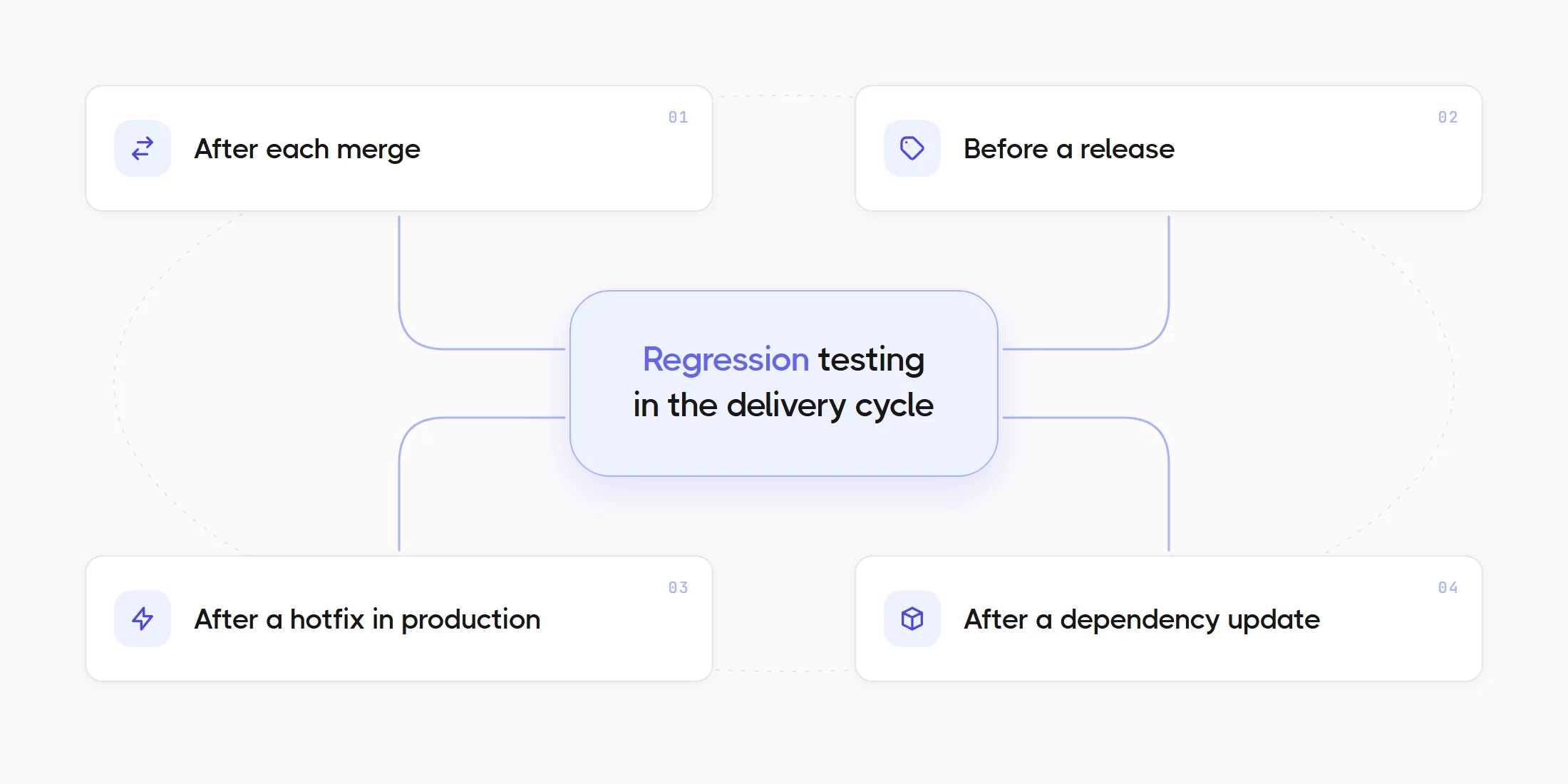
Retesting is done right after a defect fix arrives. You run regression tests after each code change or release candidate, usually after the retest succeeds. The order matters inside each agile sprint, and it is another difference between regression and retesting. Retesting is carried out before regression testing, because a failed retest returns the ticket to the developer, and a regression run on a broken fix wastes time. This is also why the priority of retesting is high. The regression run starts when the retest is green. Performing regression testing has several natural points in the development cycle:
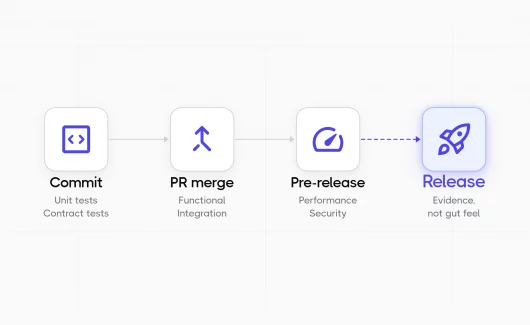
- After each merge: the CI pipeline runs an automated regression suite, and the team sees broken features within minutes.
- Before a release: the team runs the full regression pack on a release branch. The pack includes manual and automated tests.
- After a hotfix in production: the team runs the tests for the affected area, because a hotfix skips the usual sprint checks.
- After a dependency update: the team runs the full automated suite, because a library change can affect many modules.
Time is short in many sprints. You can keep the order and reduce the scope: retest the fix first, then run a risk-based regression selection instead of the full suite. Our guide on agile regression testing explains how to plan this selection for each sprint.
Can You Automate Retesting And Regression Testing?
Regression testing is the best candidate for automation, because the same suite runs after every change. Retesting is often manual, but you can re-run failed automated tests too. Test automation is another point where retesting vs regression testing differs. A regression suite grows with the product. Each new feature adds test cases, and each fixed defect adds a case that protects the fix. A manual run of the full suite soon takes days, so teams automate the stable part of the suite and keep manual regression testing for new features and visual checks. Our overview of regression testing tools compares the common options.
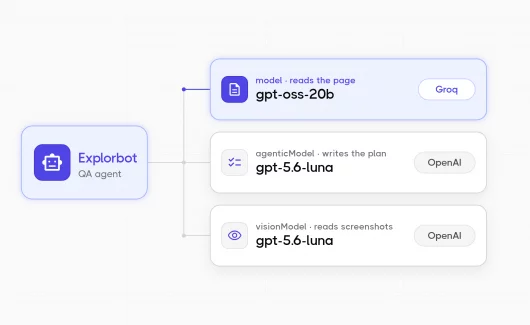
Retesting of an automated failure is a re-run of the failed test. The re-run needs the same data and the same environment as the original run, otherwise the result is unreliable. A flaky test is a special risk here. A flaky test can succeed on the re-run without a real fix, so you need to check the failure history before you close the bug. A scripted regression suite covers the paths that the team scripted. Explorbot from Testomat.io is an AI agent that explores a web app from a URL and a goal, and it revisits known pages in a different way on each run. You can run it on CI next to Playwright or CodeceptJS, and it reports every run into Testomat.io. This helps in web apps with many forms and CRUD pages, where a fixed suite misses changed behavior in unscripted paths.
Benefits And Drawbacks Of Retesting And Regression Testing
Each activity has benefits and drawbacks for the testing process.
- Retesting benefit: it gives a clear answer about a specific defect, and it takes little time.
- Retesting drawback: it covers only the fixed behavior, so it misses side effects of the fix in other features.
- Regression testing benefit: it finds new bugs in existing features before release and protects software quality across the development cycle.
- Regression testing drawback: a full regression takes time, and the suite needs regular maintenance as the product grows.
How Do You Manage Retesting And Regression Runs In Testomat.io?
You relaunch the failed tests to retest a fix, then you start a regression run filtered by a label. Testomat.io keeps both results and the linked defect together.
The workflow for a defect fix looks like this in Testomat.io:
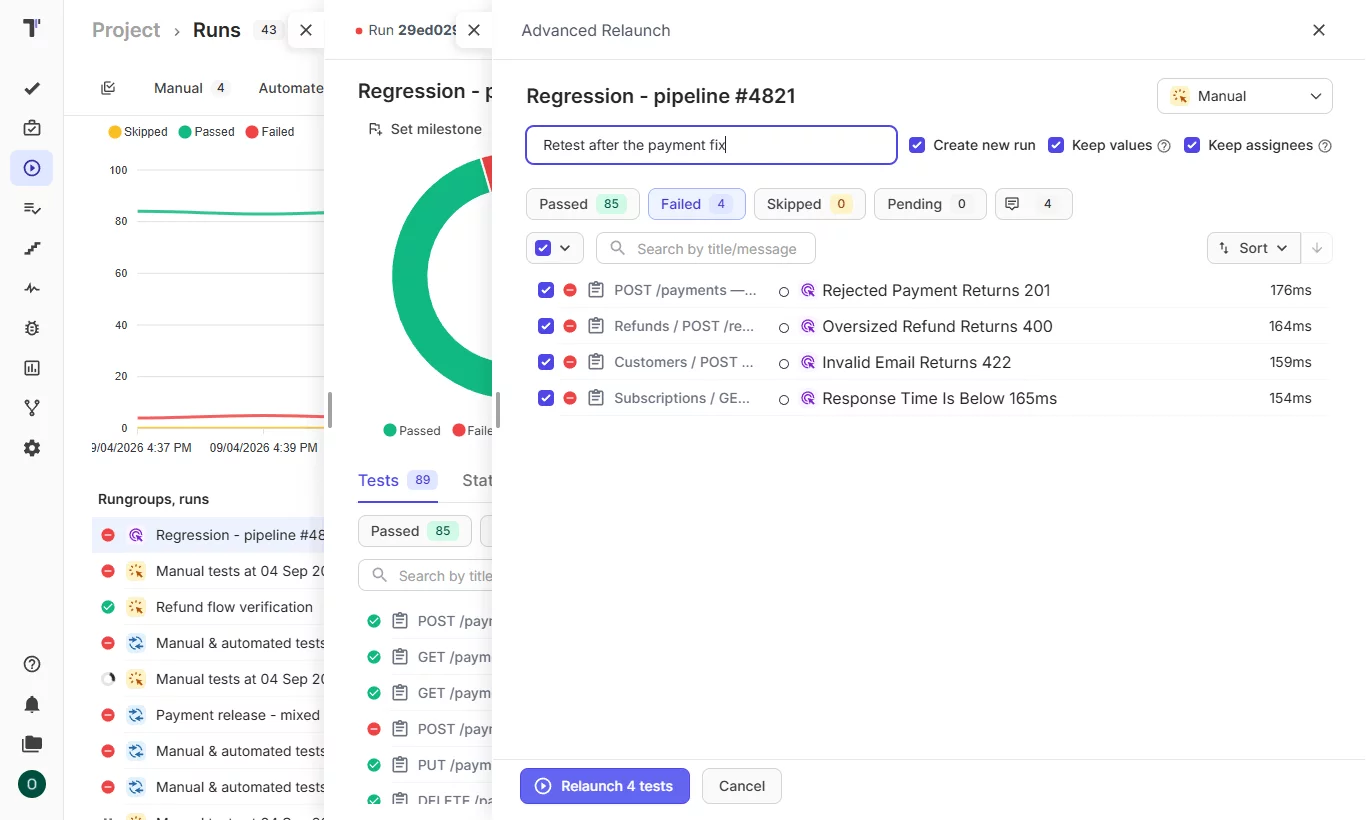
- Retest with Advanced Relaunch: you select the failed tests from the previous run and relaunch them. You can run automated tests as manual tests here, so a tester can confirm the fix by hand without a rebuild of the test selection. The full test suite stays untouched, and the previous results stay in the run history. See rerun failed tests, manual or automated.
- Correct a finished run after a late fix: a release run shows a red result, and a late fix arrives. You verify the fix by hand and set a new status on that result inside the finished run. Testomat.io records the person who made the change and keeps your message with the new status, so the report stays valid for the go/no-go decision.
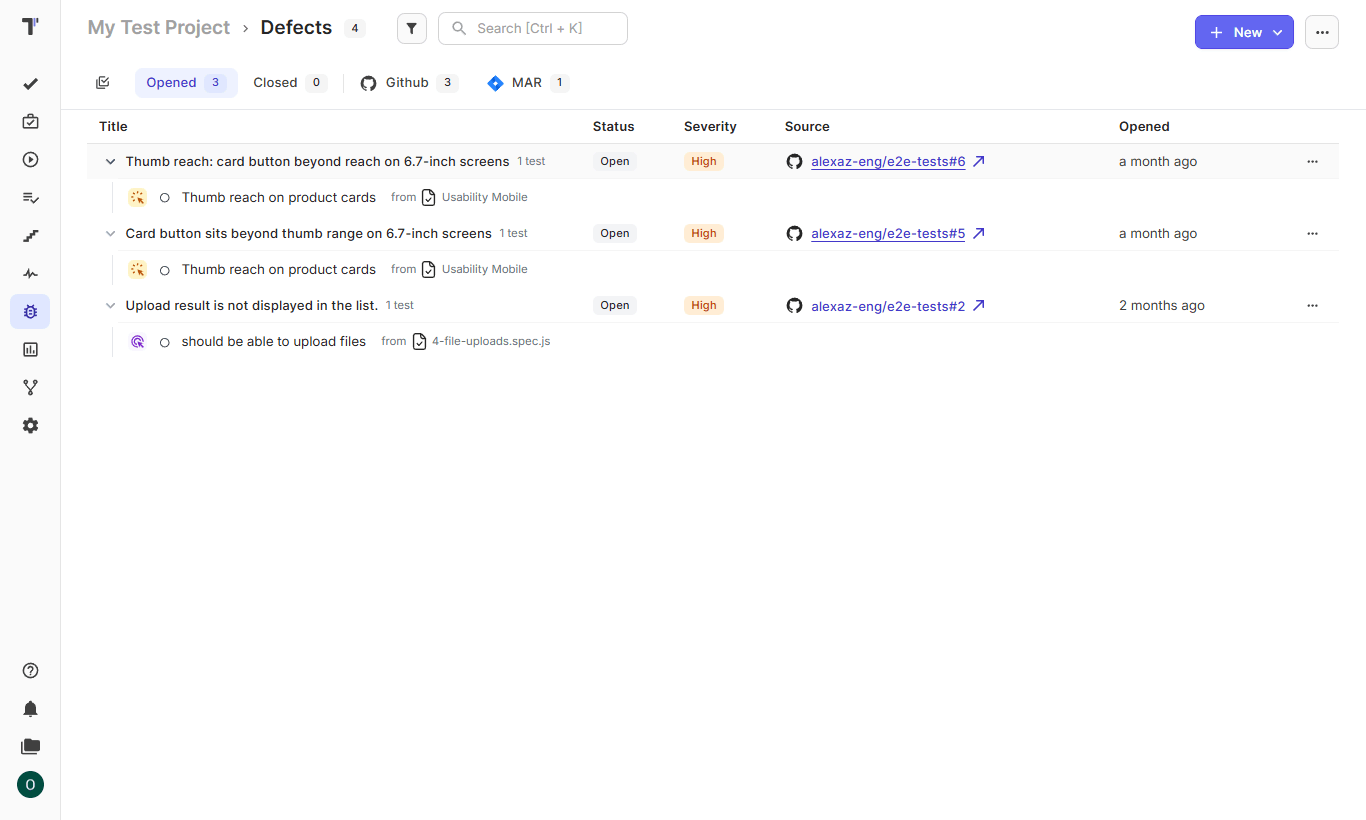
- Track the defect in a single place: the Defects page lists each bug-tracker issue with every affected test case under it. The same bug can appear in several runs and suites, and you see its full reach in a single row. The row closes when a teammate closes the issue in Jira, GitHub, GitLab, Linear, Azure DevOps or YouTrack. See Jira defects tracking.
- Start the regression run by label: you filter test cases by a label such as
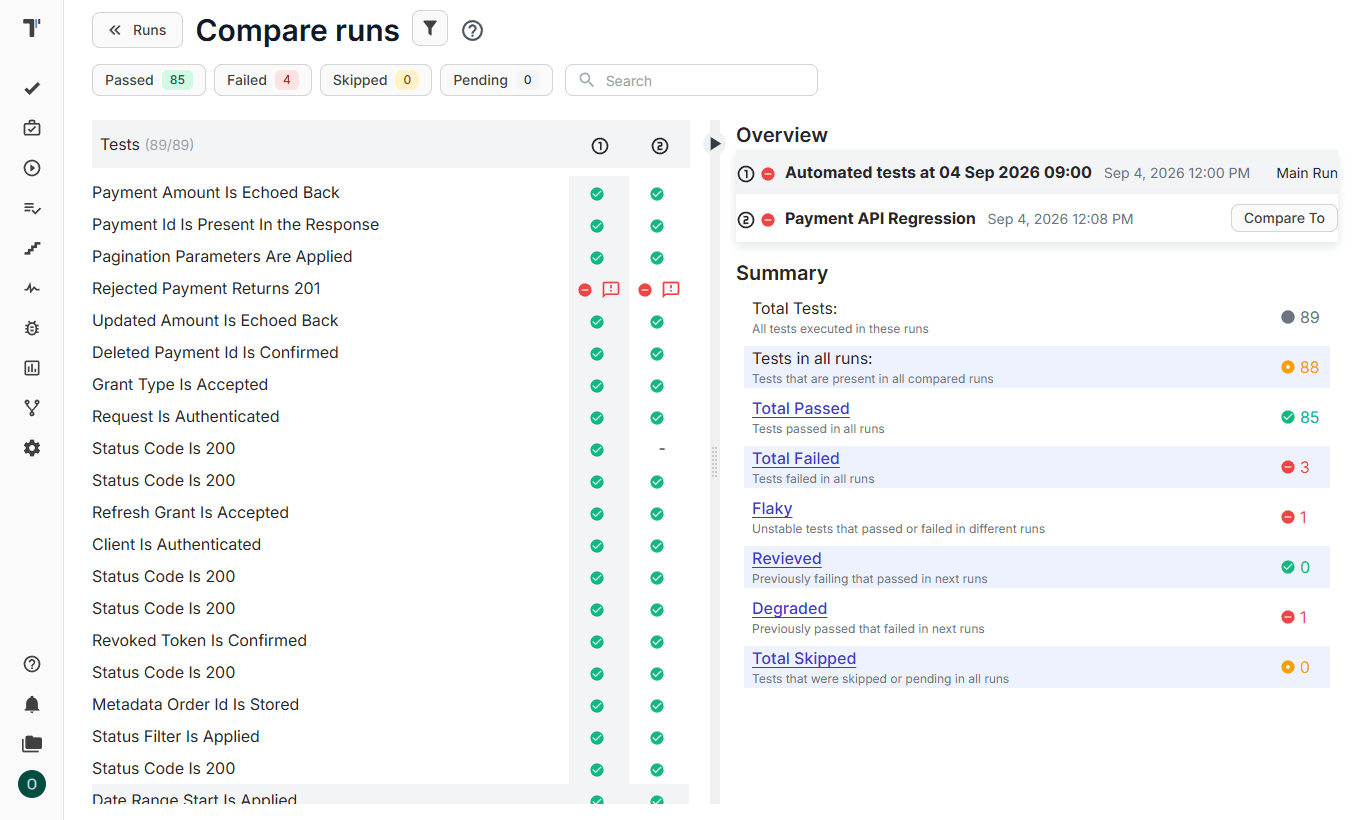
regressionorsmokeand create a run from the selection. A scheduled run lets you prepare the release regression in advance with assignees and tests, and start it when the build is ready. - Compare the runs: you select the run before the fix and the run after it on the Runs page. The comparison shows the status of each test in both runs and marks tests as flaky or degraded. See compare test runs.
Manual and automated tests can share the same run. A mixed test execution lets a tester confirm a fix by hand while the automated regression suite runs on CI, and the report shows both results together.
Sanity Testing vs Regression Testing And Retesting
Readers often ask about sanity testing vs regression testing, and about the place of retesting next to smoke testing.
- A smoke test is light testing to ensure that a new build starts and that its main functions respond.
- A sanity test is a quick check of a specific area after a small change, and it tells the team whether a deeper run makes sense.
Retesting confirms a specific defect fix with the same failed test case. Regression testing is wider than each of these checks, because it covers the existing features after a change. Our overview of testing types in a test strategy places each check in the delivery cycle.
Bottom Line
Regression testing vs retesting is a question of what you check and when you run it. You retest the fix first with the same failed case and the same data. You protect the rest of the product with a regression run after the retest succeeds. Both activities belong in the software development process, and the worked example above shows why the release decision needs both results. Try Testomat.io and run your next retest and regression run in the same report, with the linked defect next to each result.